🤖 AI@Excel Assistant
The Assistant tab of the AI@Excel pane answers questions in plain language on the SAP data of the workbook. It follows three rules:
- Its figures come from SAP — it reads the SAP source, it does not invent amounts.
- It proposes, you accept — by default nothing is written to the workbook without your approval.
- Everything can be undone — each step shows its cost and duration and can be reverted.
Demo data
The screenshots show the 4IT SAP S/4HANA CAL demo system — no customer data.
The Assistant Proposes Figure-Backed Analyses
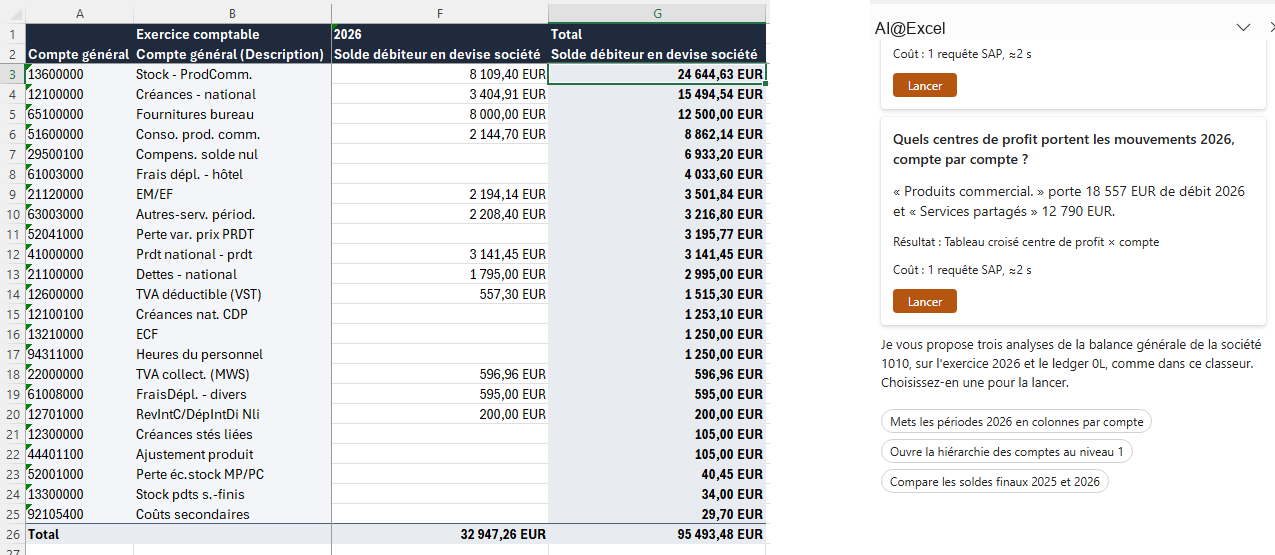
- It reads the source and proposes analyses, each with a figure from SAP — for example which profit centres carry the 2026 postings, account by account.
- Each proposal states its cost (for example 1 SAP request, ≈2 s); nothing runs until you click Run.
- Ready-made follow-ups restart the conversation in one click: periods in columns, account hierarchy at level 1, compare closing balances 2025 and 2026.
You Accept Before Anything Is Written
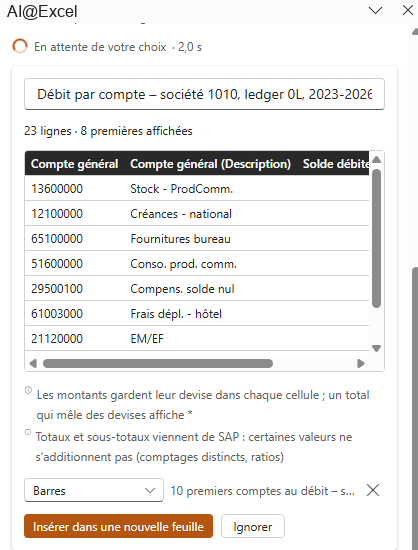
- A preview of the data read from SAP (here 23 rows) is shown before anything is written to the workbook.
- The reading rules are recalled: amounts keep their currency in each cell; totals and subtotals are calculated by SAP (some values, such as distinct counts or ratios, do not add up).
- You choose the chart, then Insert into a new sheet or Ignore.
Python Figures Checked Against SAP
By default the assistant draws with native Excel charts. It uses Python in Excel only on request, or when Excel cannot draw the figure.
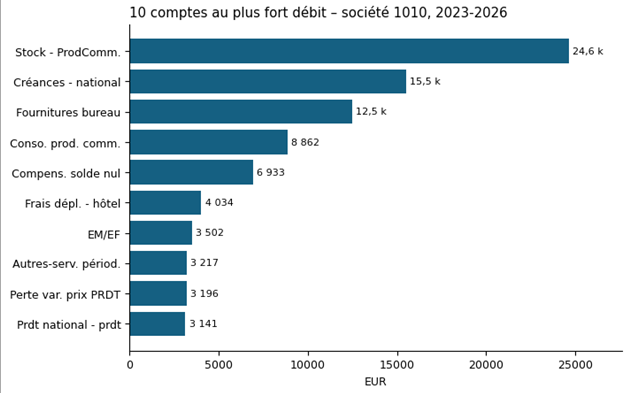
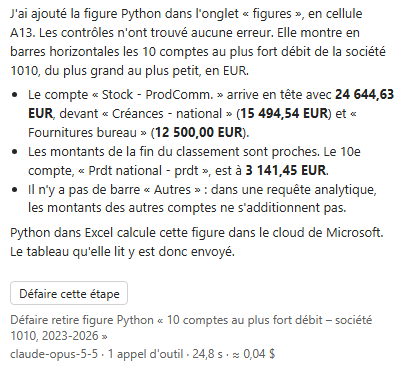
- A Python figure (
=PY()) is checked against the SAP figures before it is shown. - The answer quotes the exact SAP amounts and warns that the calculation runs in the Microsoft cloud (Python in Excel).
- "Undo this step" removes the figure; the model, number of tool calls, duration and cost are displayed.
What the Model Receives
The assistant uses a Claude model (Anthropic API or Microsoft Foundry). It receives the question, the metadata of the source and digests of the results — never a whole sheet and never the SAP password. See AI@Excel Architecture & IT.