📊 AI@CDS Data Platform
This section describes the replication and data model generation in the Data Platform.
The 4IT AI Agents automatically remodel and generate all required semantic layers in the target Data Platform. They produce the full bronze → silver → gold pipeline: raw imported files, cleaned and conformed datasets, and business-ready analytical objects.
The AI knows the structure of the 4IT Business Templates and uses that knowledge to generate semantically accurate, consistent models every time.
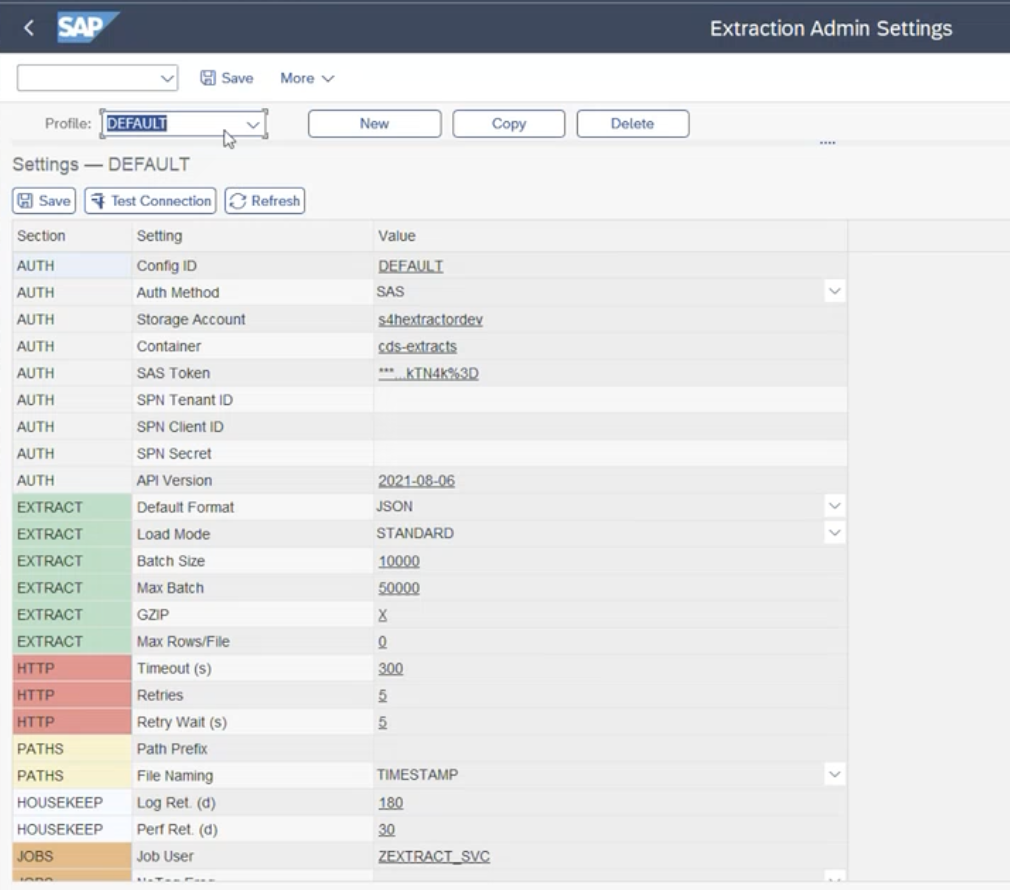
Step 1 — Replication Settings
In this screen, the user can set up all the relevant elements for the data replication to the storage account of the target Data Platform — file format, batch sizes, timeout, retries, and more. The connection can be tested directly from this screen.
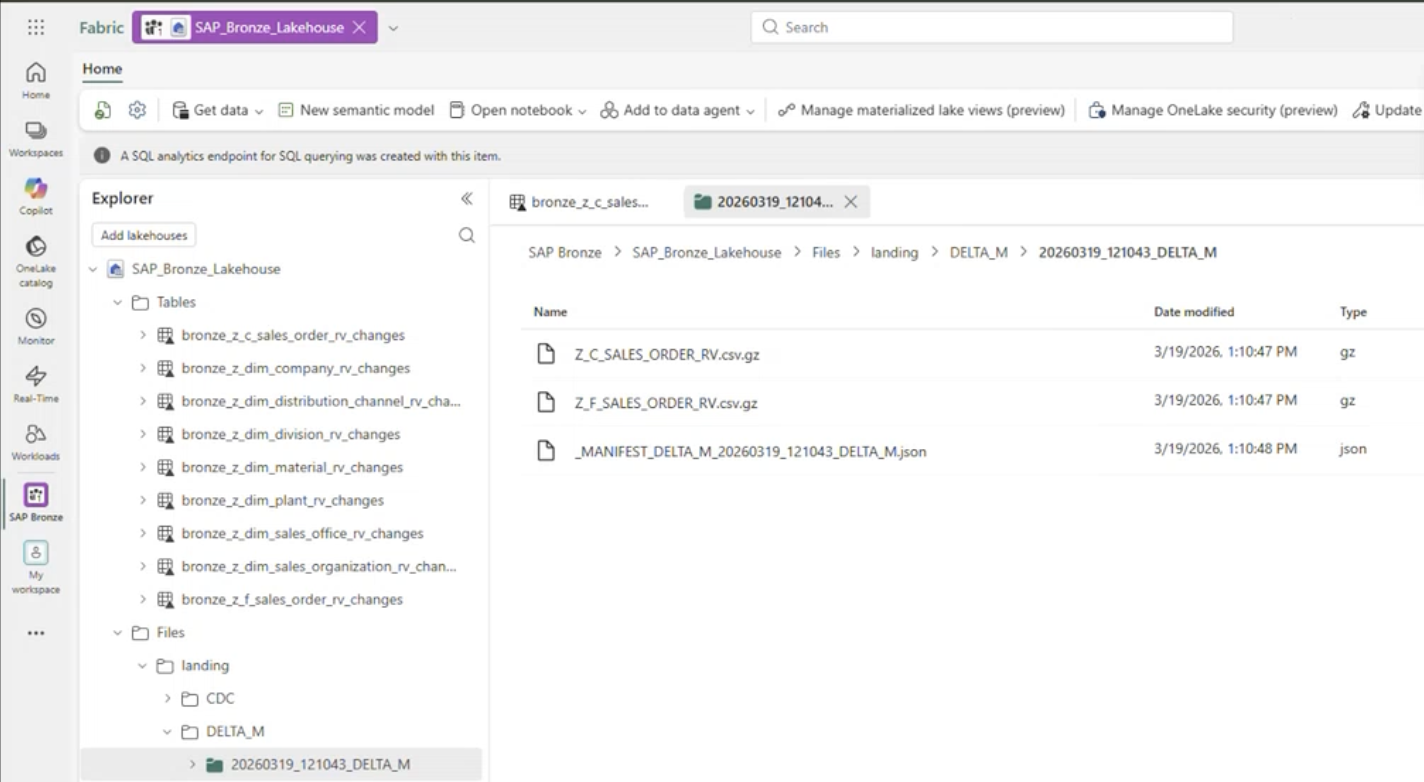
Step 2 — Data Replication
In this step, the files are posted to the storage account on the Data Platform. For each Full and Delta load, one or several CSV/JSON files are created depending on the volume and batch configuration.
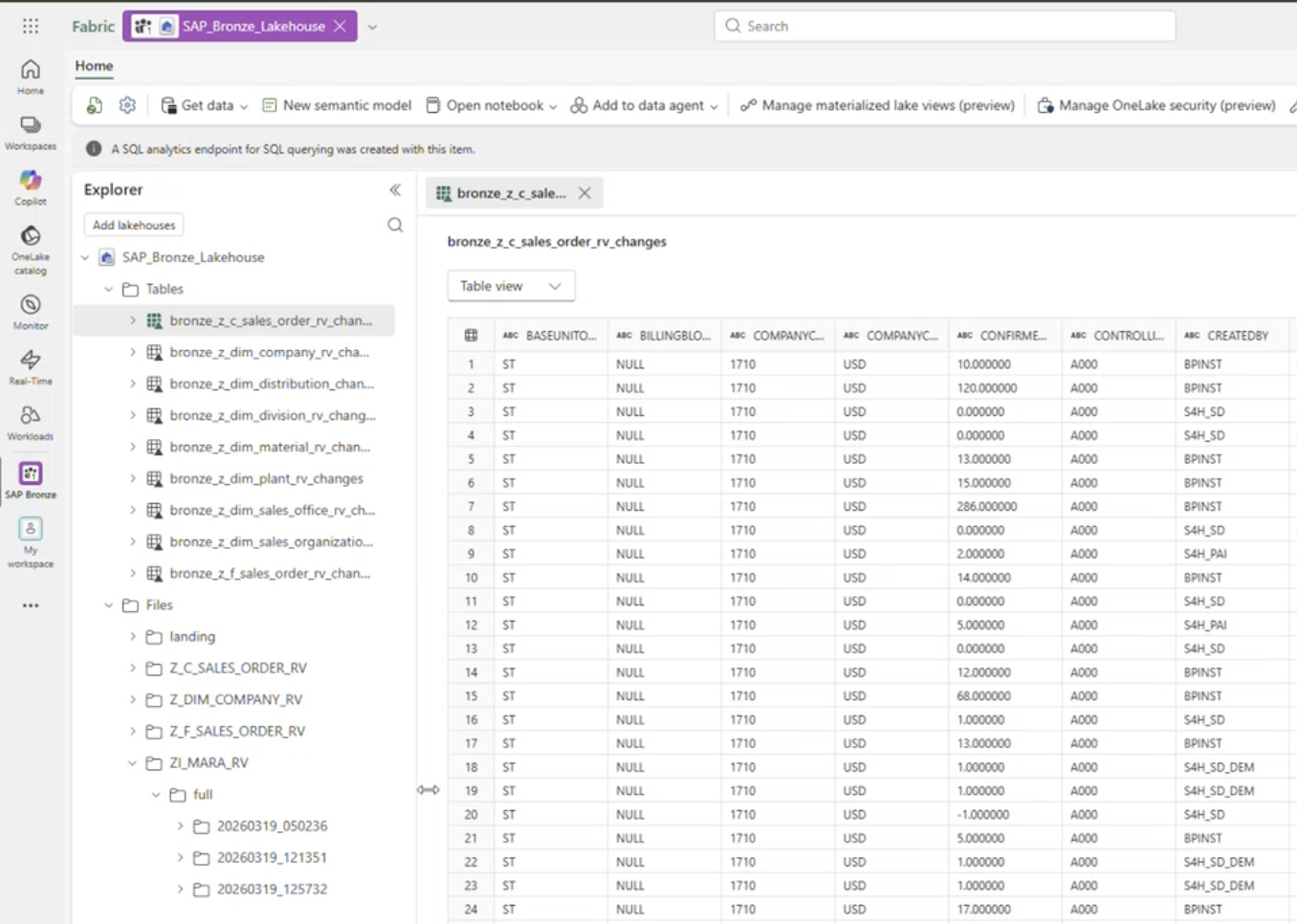
Step 3 — Content of the Replicated Files
In this screen, the user can see the generated bronze layer for the replicated CDS views. The data is already available for visualisation directly from this view.